The global crosshair
One crosshair that marks the same price and moment in every window, and a note on replay.
The global crosshair
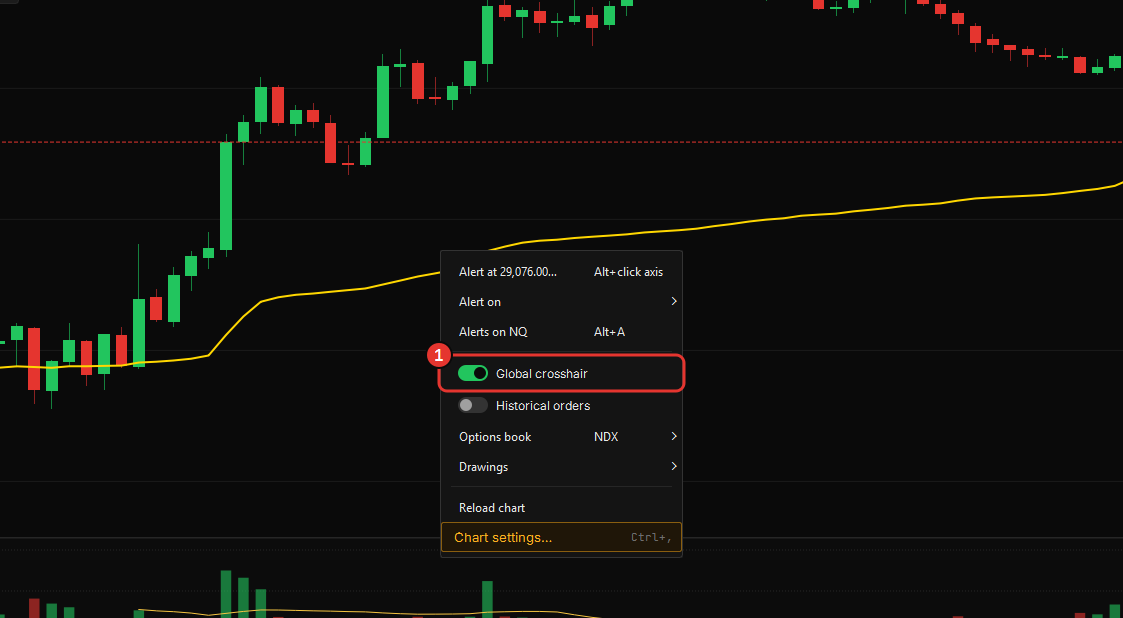
Turn it on from a chart’s right-click menu and every window follows your cursor: hold the crosshair on a price and moment in the chart and the heatmap marks the same instant, and the other way round. Chart in one window, book in another, one point in time. The switch is global — on in one window, on in all.
It is not a drawing: nothing is saved, nothing is shared, and it goes with the cursor. To mark a level that stays, draw one (see Drawing tools); to be told when price gets there, arm an alert on it.
Replay
Replay is on the way. The Command Center lists it under the dimmed tiles — the ones that say when they will launch rather than launching — and a chart has no Replay button until it does. When it ships it will run every open window on one clock, and this chapter will cover it.
For rehearsing execution on past bars, the simulator is the tool: it trades the live tape on a practice account with the same ticket and the same rules.